Flowiz Docs home page
Search...
⌘K
Search...
Navigation
Enable IMAP
Zoho Mail
Getting Started
Introduction
Quickstart Guide
Core Concepts
The Automation Engine
Using Recipes
The AI Flow Prompt
Visual Canvas Builder
Logic & Delays
Building Workflows
Building Email Workflows
Building WhatsApp Workflows
Building Web Bot Workflows
Custom Nodes & Branching
Agents Configuration
Email Agent Setup
WhatsApp Agent Setup
WebBot Installation
Call Agent (Beta)
Lead Management
Importing CSV/Excel
Google Maps Extraction
Audience Management
Inbox & Analytics
Unified Inbox
Campaign Metrics
Enable IMAP
Gmail / G-Suite
Microsoft Outlook
Zoho Mail
On this page
1. Enable IMAP Access
Enable IMAP
Zoho Mail
Configure Zoho Mail IMAP access and App Passwords.

Zoho Mail is popular for businesses, but it strictly separates “User Passwords” from “App Passwords.”
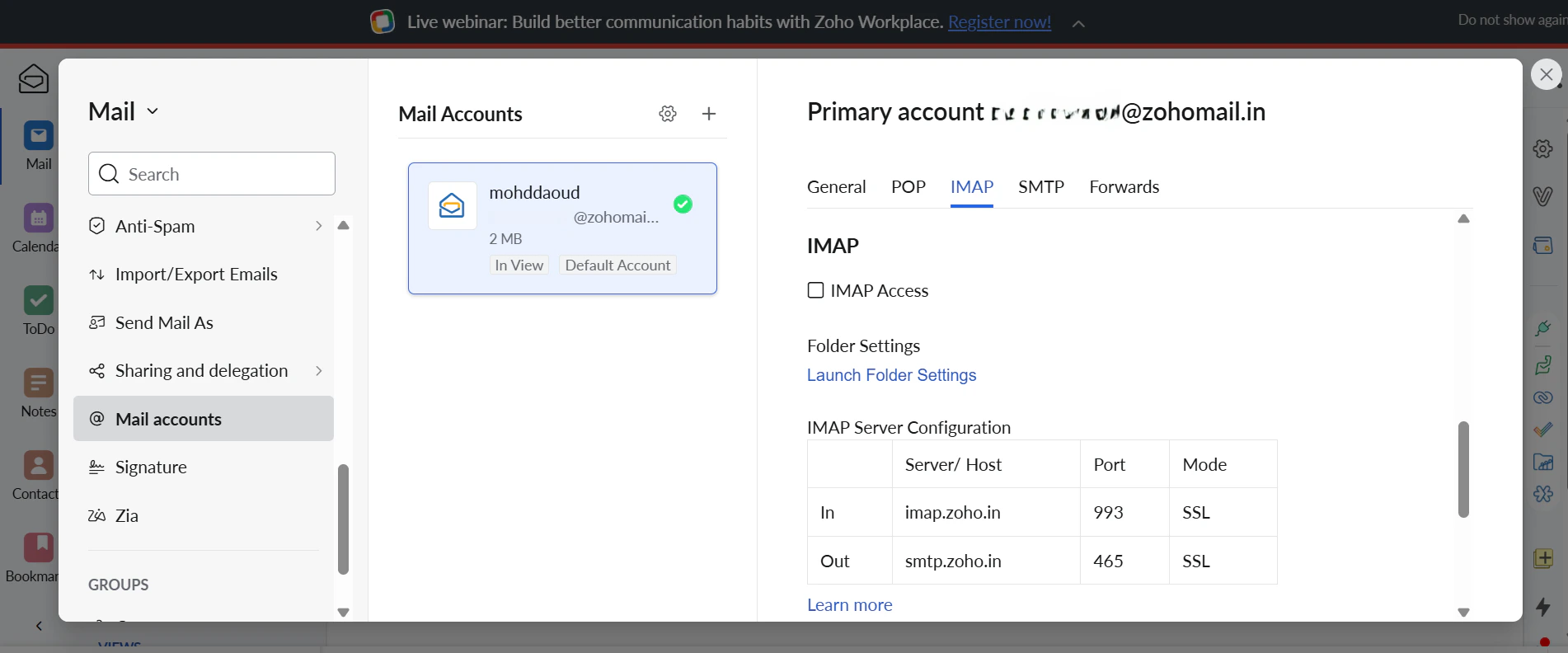
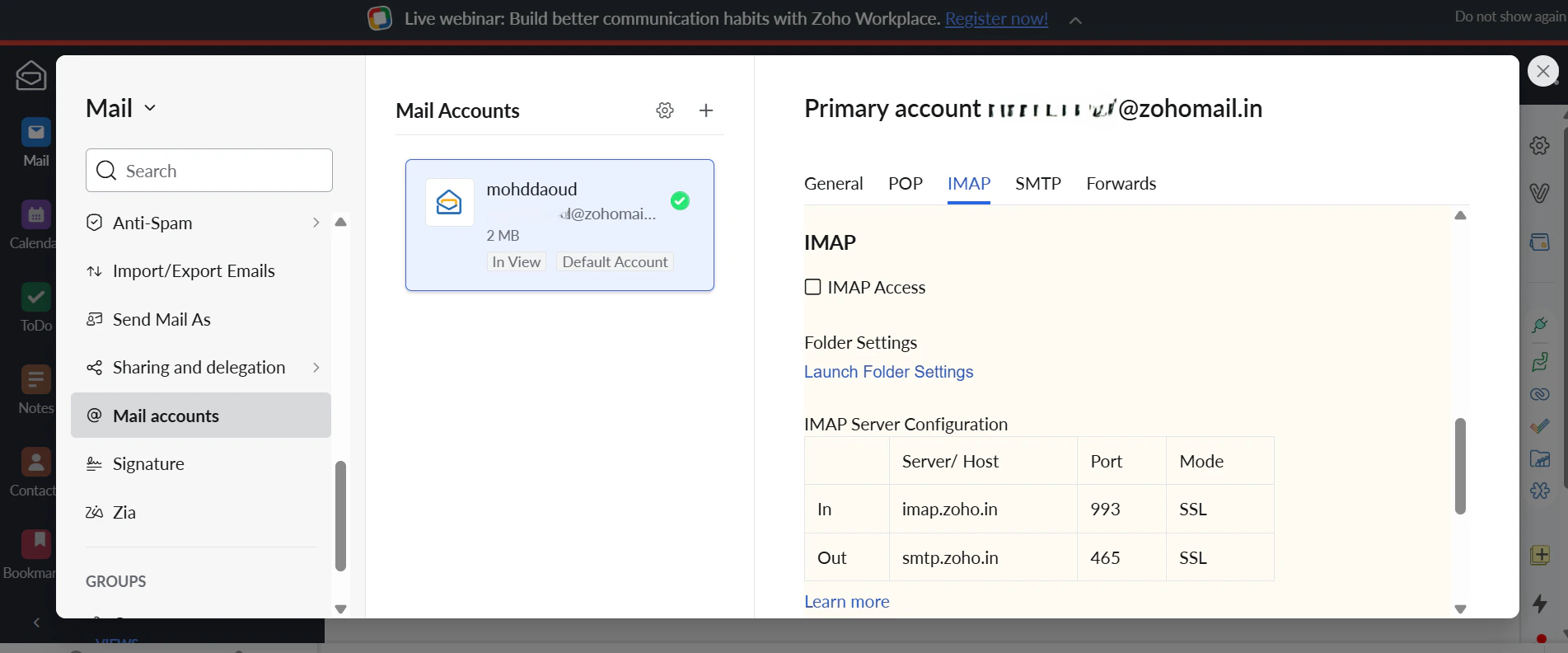
1. Enable IMAP Access
Log in to Zoho Mail.
Click the
Gear Icon
(Settings).
Go to
Mail Accounts
and find the
IMAP
section.
Ensure the
IMAP Access
checkbox is
Checked
.
Microsoft Outlook
⌘I