
Accessing the Library
To open the Recipe Library:- Go to the Automations tab.
- Click the purple + Create New Flow button in the top right corner.
Choosing a Strategy
The library is divided into strategies based on your goal.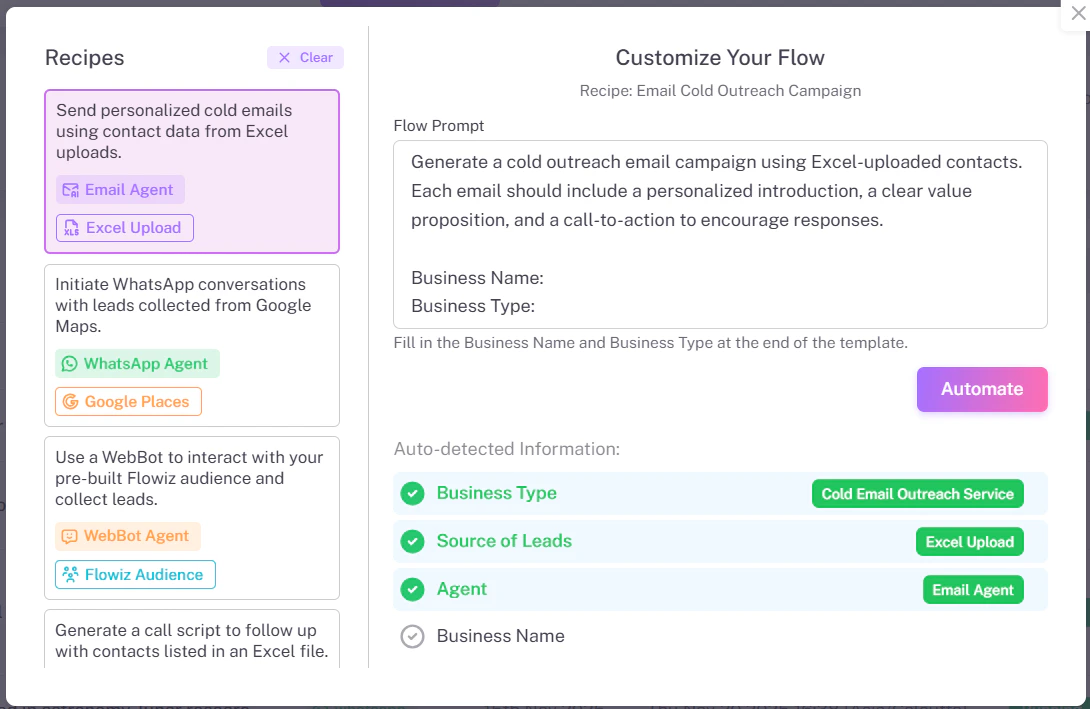
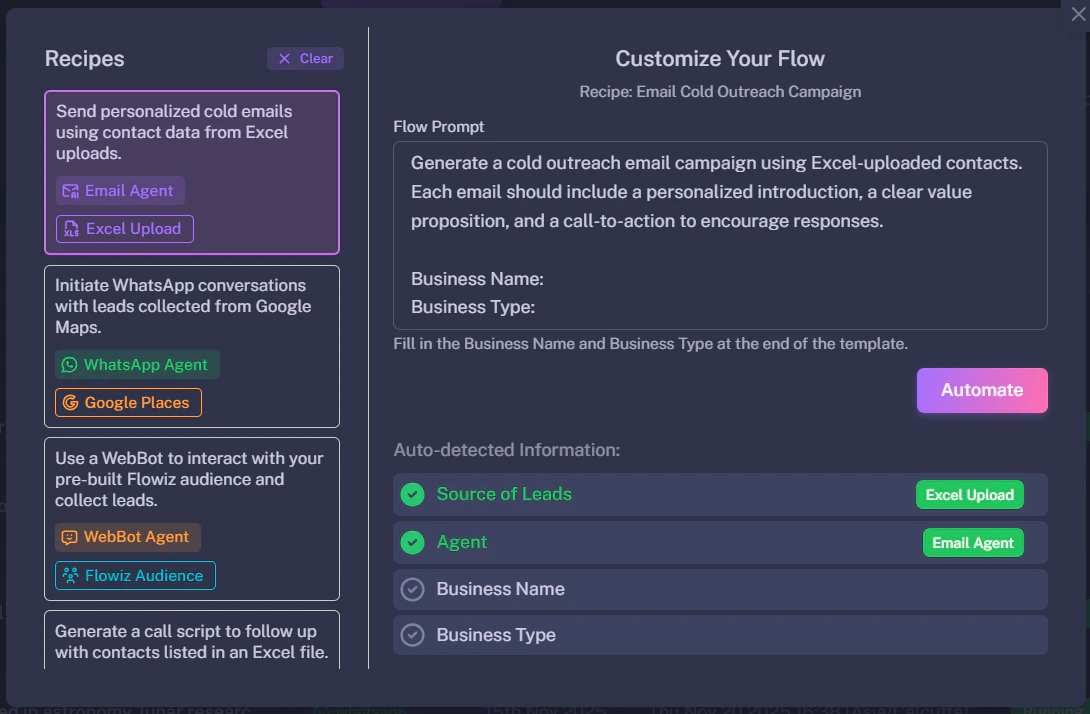
Common Recipes
Cold Email Outreach
Trigger: Excel Upload
Action: Sends a personalized email sequence.
Best for: B2B Sales when you already have a lead list.
WhatsApp from Google Maps
Trigger: Google Maps Extractor
Action: Extracts phone numbers and sends a WhatsApp message.
Best for: Local businesses (e.g., selling to restaurants).
Inbound WebBot
Trigger: Website Visitor
Action: Captures lead details via chat.
Best for: Customer support and lead qualification.
Customizing a Recipe
Once you select a recipe, you will see the “Customize Your Flow” window.- Flow Prompt: You can edit the text instructions to change the tone (e.g., change “Professional” to “Friendly”).
- Business Details: Ensure your business name is correct so the AI introduces you properly.
- Click Automate to generate the flow.