
1. Enable IMAP
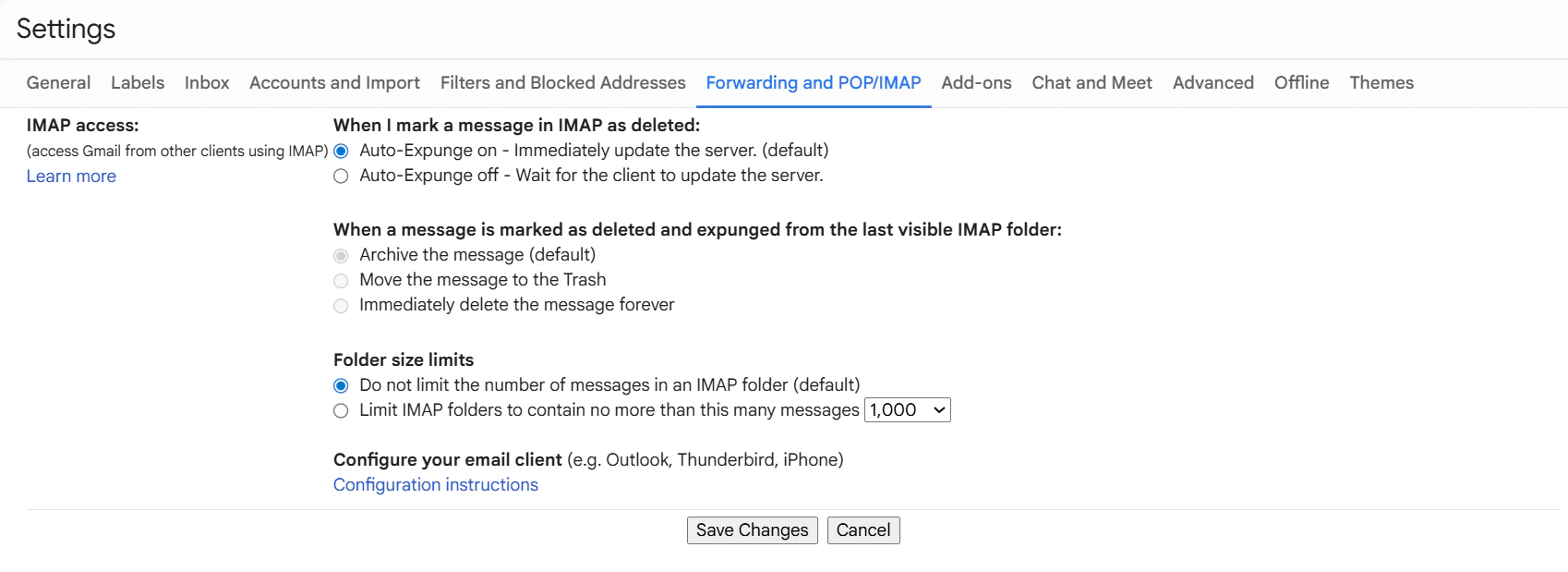
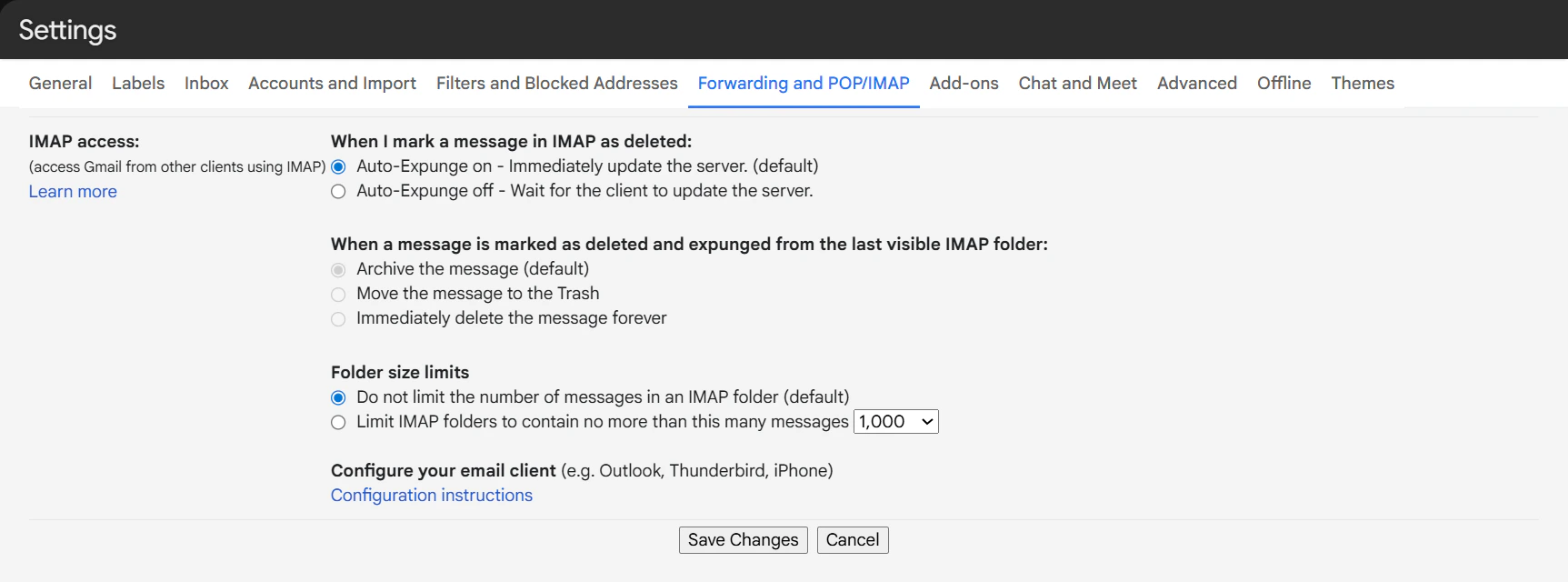
First, tell Gmail to allow external connections.- Open Gmail and click the Gear Icon (top right) -> See all settings.
- Click the Forwarding and POP/IMAP tab.
- Scroll to IMAP access and select Enable IMAP.
- Click Save Changes at the bottom.
2. Generate App Password
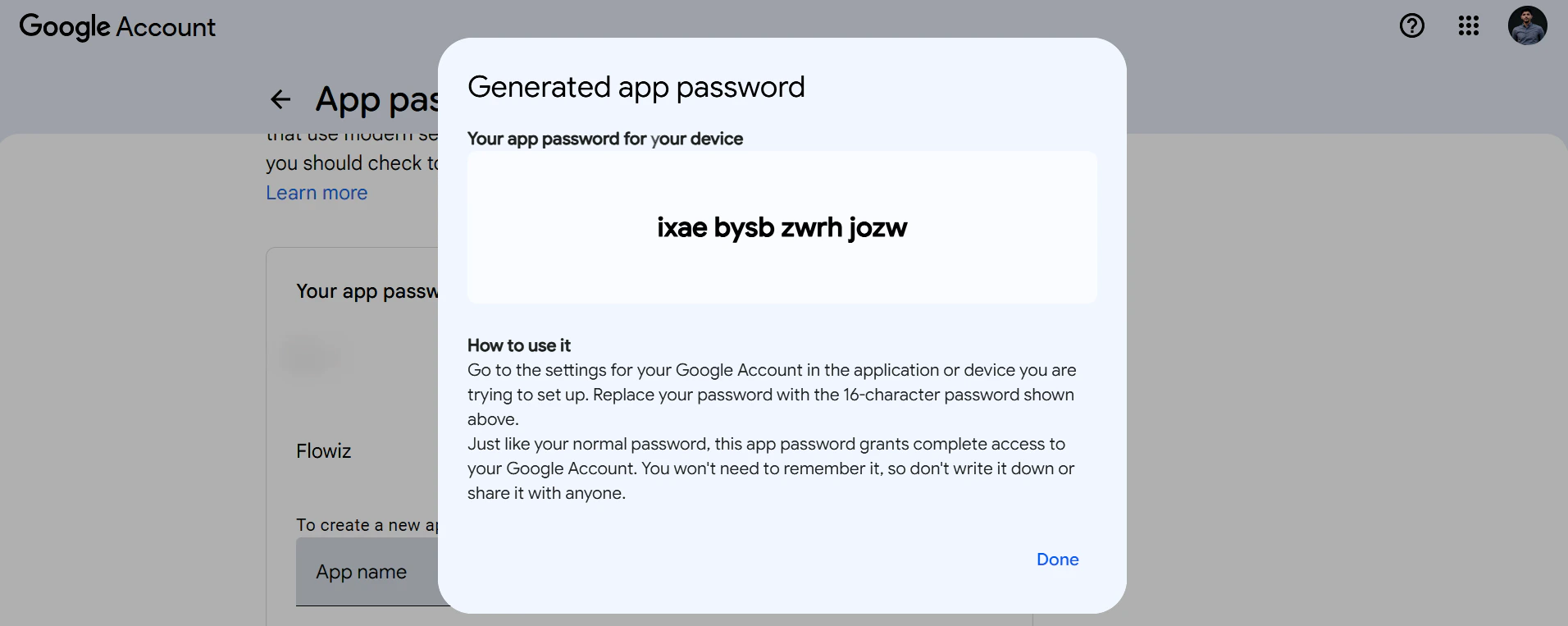
Since you likely have 2-Step Verification on, you need a special password for Flowiz.- Go to your Google Account Security Page.
- Ensure 2-Step Verification is turned ON.
- In the search bar, type “App Passwords” and select it.
- App Name: Type
Flowizand click Create. - Copy the 16-character code (e.g.,
xxxx xxxx xxxx xxxx).