> ## Documentation Index
> Fetch the complete documentation index at: https://cybernauts.mintlify.site/llms.txt
> Use this file to discover all available pages before exploring further.
# Introduction
> Welcome to Flowiz—the Zero-Code AI Automation platform for modern sales teams.
## What is Flowiz?
Flowiz is a full automation ecosystem that uses intelligent **AI Agents** to replace manual sales work. Flowiz unifies the entire workflow into a single visual interface, in contrast to traditional tools that require you to connect disparate apps (such as scrapers, email verification, and CRMs).
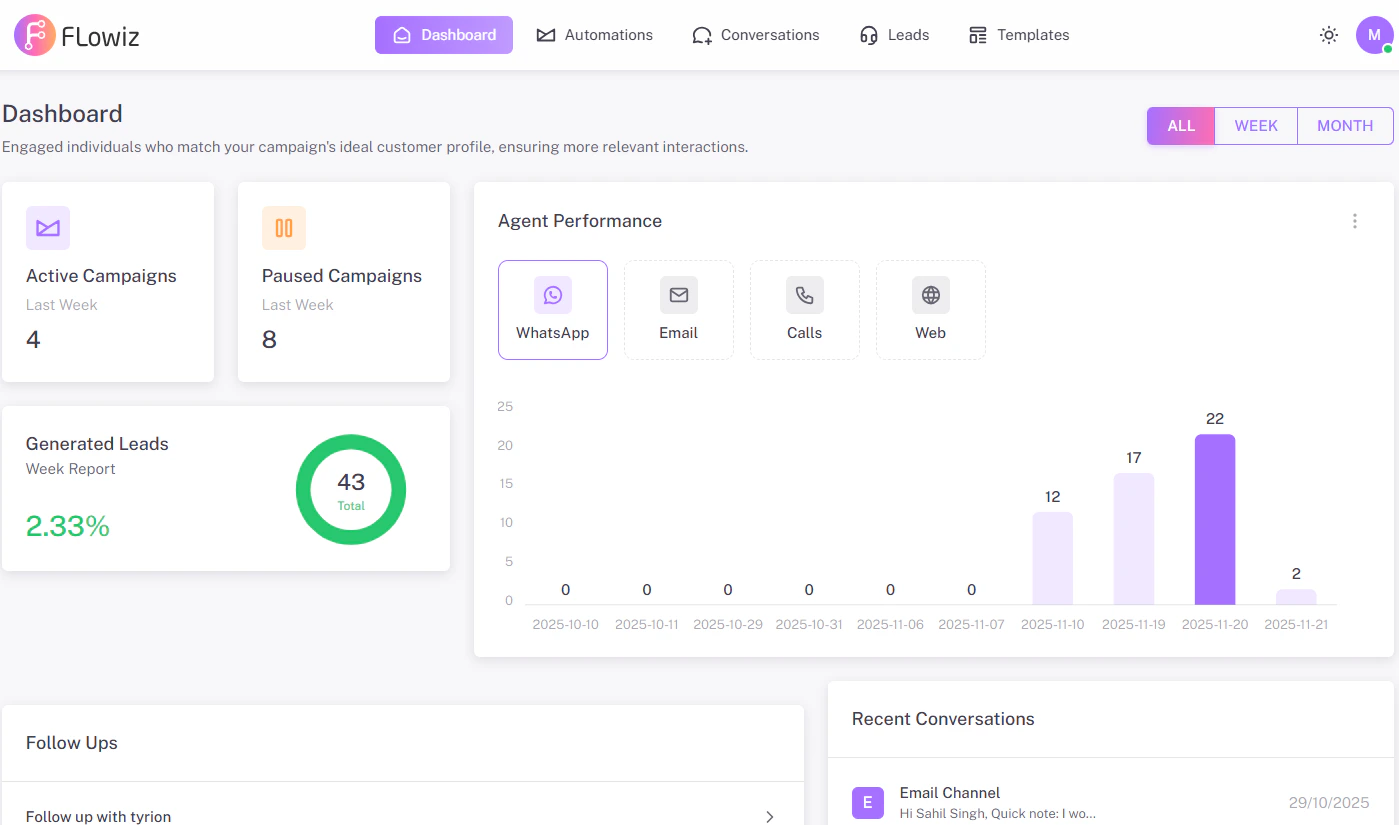
{/* 1. Take a screenshot of the main Dashboard (with the charts). */}
{/* LIGHT MODE IMAGE */}
 ## How It Works
Flowiz uses a straightforward 4-step logic to function. To create intricate automations, you don't have to be a developer.
Flowiz uses a straightforward 4-step logic to function. To create intricate automations, you don't have to be a developer.
To find new prospects automatically, use the **Google Maps Extractor** or upload your customer list in **CSV/Excel**.
To allow the system to send messages on your behalf, connect your **Email (SMTP)** or **WhatsApp (Meta API)**.
Press **Start**. The AI takes over, interacting with your leads and monitoring responses in the dashboard.
## Explore the Platform
Select a module below to learn more.
Discover how to create campaigns using the Visual Canvas and Logic Nodes.
Configure your WebBot, WhatsApp, and email employees.
Leads can be extracted from Google Maps or imported using Excel.
Monitor agent performance, open rates, and reply rates.
## How It Works
Flowiz uses a straightforward 4-step logic to function. To create intricate automations, you don't have to be a developer.
Flowiz uses a straightforward 4-step logic to function. To create intricate automations, you don't have to be a developer.
To find new prospects automatically, use the **Google Maps Extractor** or upload your customer list in **CSV/Excel**.
To allow the system to send messages on your behalf, connect your **Email (SMTP)** or **WhatsApp (Meta API)**.
Press **Start**. The AI takes over, interacting with your leads and monitoring responses in the dashboard.
## Explore the Platform
Select a module below to learn more.
Discover how to create campaigns using the Visual Canvas and Logic Nodes.
Configure your WebBot, WhatsApp, and email employees.
Leads can be extracted from Google Maps or imported using Excel.
Monitor agent performance, open rates, and reply rates.